Lookup Table Data Element
The Lookup Table data element resolves a value from the event payload against a configured table of input/output pairs and returns the matched output as a Launch data element. Use it to translate code-level values into human-readable labels — or any other static mapping — without app code changes.
Lookup table configuration
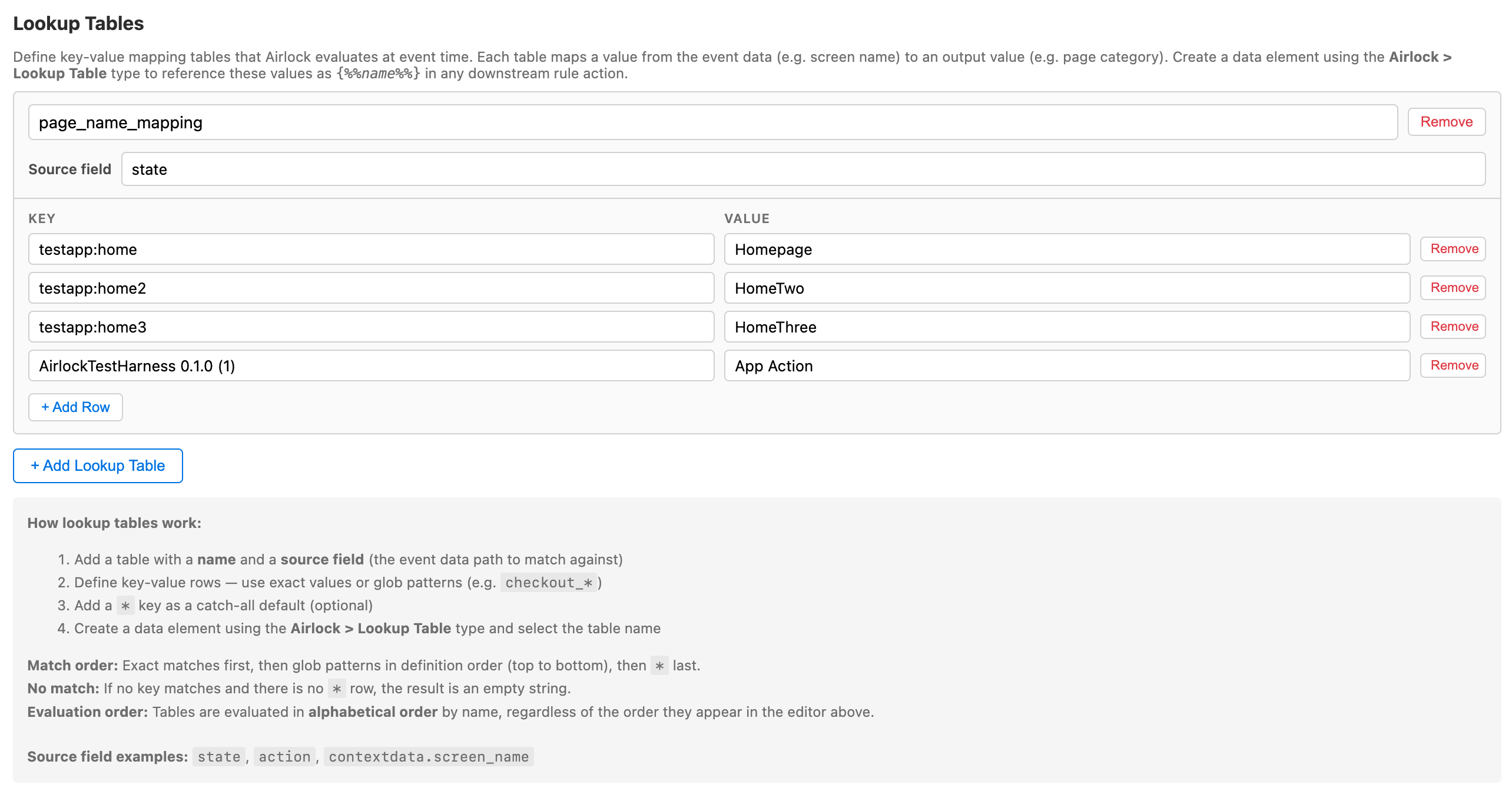
How it works
Lookup tables are defined in Extension Configuration → Lookup Tables. Each table has:
- A source path — a dot-notation path into the track event's data (e.g.
contextdata.screen_id) - A list of rows, each mapping an input string to an output string
When a track event fires, Airlock walks the table rows in order. The first row whose input matches the resolved source value wins. The output is published into Airlock's shared state under the table's name, and this data element returns that value.
If no row matches, the data element returns an empty string.
Also available inside JS scripts
Lookup outputs are published to sharedState.airlock.<name> and can be read directly from any Evaluate JavaScript Rules or Custom Code script without first wiring up a Launch data element.
When to use it
| Scenario | Example |
|---|---|
| Translate a screen code to a friendly name | pdp → Product Detail Page |
| Map a product category ID to a label | cat_003 → Womens Apparel |
| Convert an internal status code to a reporting value | chk_1 → Checkout Step 1 |
| Apply a static classification from a rule | Map campaign codes to campaign names |
Setting it up
Step 1 — Define the table in Extension Configuration
In Extension Configuration → Lookup Tables, add a table:
- Name:
screenName(this becomes the data element key) - Source path:
contextdata.screen_id - Rows:
| Input | Output |
|---|---|
home |
Home Screen |
pdp |
Product Detail |
cart |
Shopping Cart |
checkout |
Checkout |
Step 2 — Create the data element
In Launch, create a new data element:
- Extension: Airlock
- Data element type: Lookup Table
- Table: select
screenNamefrom the dropdown
Step 3 — Reference in a rule
Use the data element token anywhere in Launch: {%%Screen Name%%}
For example, in a Modify Data action:
| Contextdata key | Value |
|---|---|
page.name |
{%%Screen Name%%} |
Airlock Data Element Lookup Table
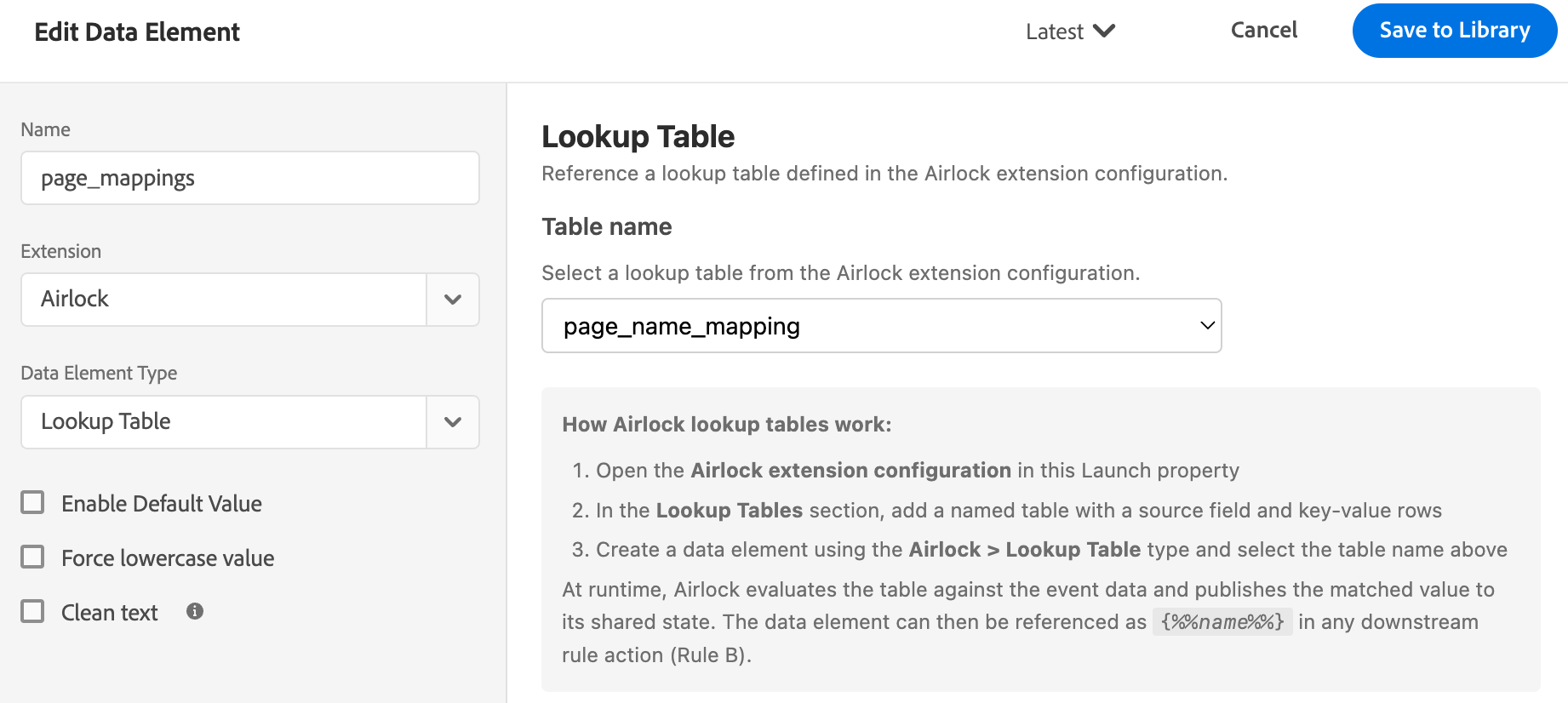 Description : Referencing the Lookup Table data element in a Modify Data action.
Row matching behaviour
- Matching is case-sensitive and exact —
Homedoes not matchhome - The first matching row wins — order matters if inputs could overlap
- If the source path resolves to
nilor empty, no row matches and the output is an empty string - If no row matches, the output is an empty string
Source path syntax
The source path uses dot-notation to navigate the event data dictionary:
| Path | Resolves to |
|---|---|
contextdata.screen_id |
The value of screen_id inside the contextdata dictionary |
action |
The top-level action key (the track action name) |
state |
The top-level state key (the track state name) |
See also
- Extension Configuration → Lookup Tables — where tables are defined
- Session Accumulator data element — for counter and sum values rather than string lookups
- Custom Code data element — for lookups that require code logic rather than a static table