Custom Code Data Element
The Custom Code data element runs a JavaScript snippet at rule-evaluation time and returns the result as a Launch data element value. That value can then be used in Launch conditions, Modify Data actions, or any other field that accepts a data element reference.
Use Javascript to compute a value for Launch conditions and actions
Description: With Airlock run any javascipt to process data before returning a vale. Use the payload preview to test out your changes without needing a new app build.
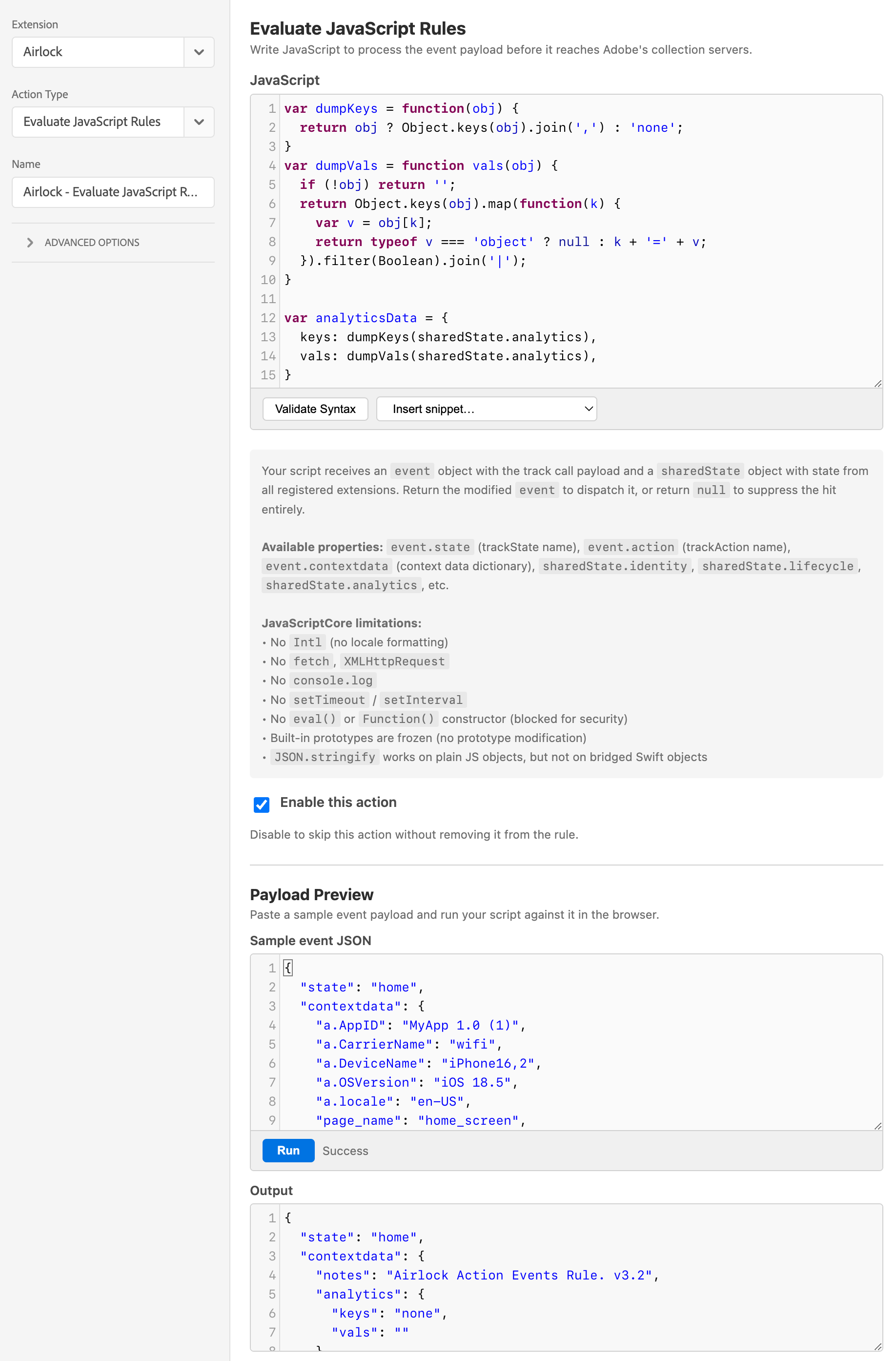
How it differs from Evaluate JavaScript Rules
Evaluate JavaScript Rules is an action — it processes an event and dispatches an enriched result. Custom Code is a data element — it returns a scalar value that Launch can reference elsewhere.
| Custom Code data element | Evaluate JavaScript Rules action | |
|---|---|---|
| Type | Data element | Action |
| Returns | A scalar value (string, number, boolean) | An enriched event object, or null to suppress |
| Used in | Conditions, Modify Data, other action fields | Rule action sequence |
Has access to event |
No | Yes |
Custom Code is the right choice when you need to compute a value for use in a Launch condition or action field — not when you need to transform the event itself.
The script contract
Parameter: sharedState — a snapshot of all registered extensions' shared state, including Airlock's published macro results, lookup table outputs, and accumulator values under sharedState.airlock.
Return value: Any scalar — a string, number, or boolean. Returning an object or array is technically possible but most Launch fields that accept data elements expect a scalar.
Returning null or undefined results in the data element resolving to an empty string.
Examples
Read an Airlock macro result
// Returns the userTier macro result published by Airlock at config load
return sharedState.airlock && sharedState.airlock.userTier
  ? sharedState.airlock.userTier
  : 'standard';
Derive a value from Places shared state
// Return the name of the last entered POI
var places = sharedState.places;
return places && places.currentpoi
  ? places.currentpoi.regionname
  : '';
Conditional string from an accumulator
// Label the user's visit number
var visits = sharedState.airlock && sharedState.airlock.sessionCount;
if (!visits || visits <= 1) return 'first-visit';
if (visits <= 3) return 'early-adopter';
return 'returning';
Sandbox constraints
The same sandbox applies as for Evaluate JavaScript Rules:
- No
setTimeout/setInterval - No DOM access
- No network access
- Synchronous execution only, 2-second timeout
Referencing the data element in Launch
Once saved, reference the data element in any Launch field using the standard token syntax: {%%Your Data Element Name%%}.
For example, in a Modify Data action:
| Contextdata key | Value |
|---|---|
user.segment |
{%%Airlock User Tier%%} |
Adobe Modify Data action referencing an Airlock data element
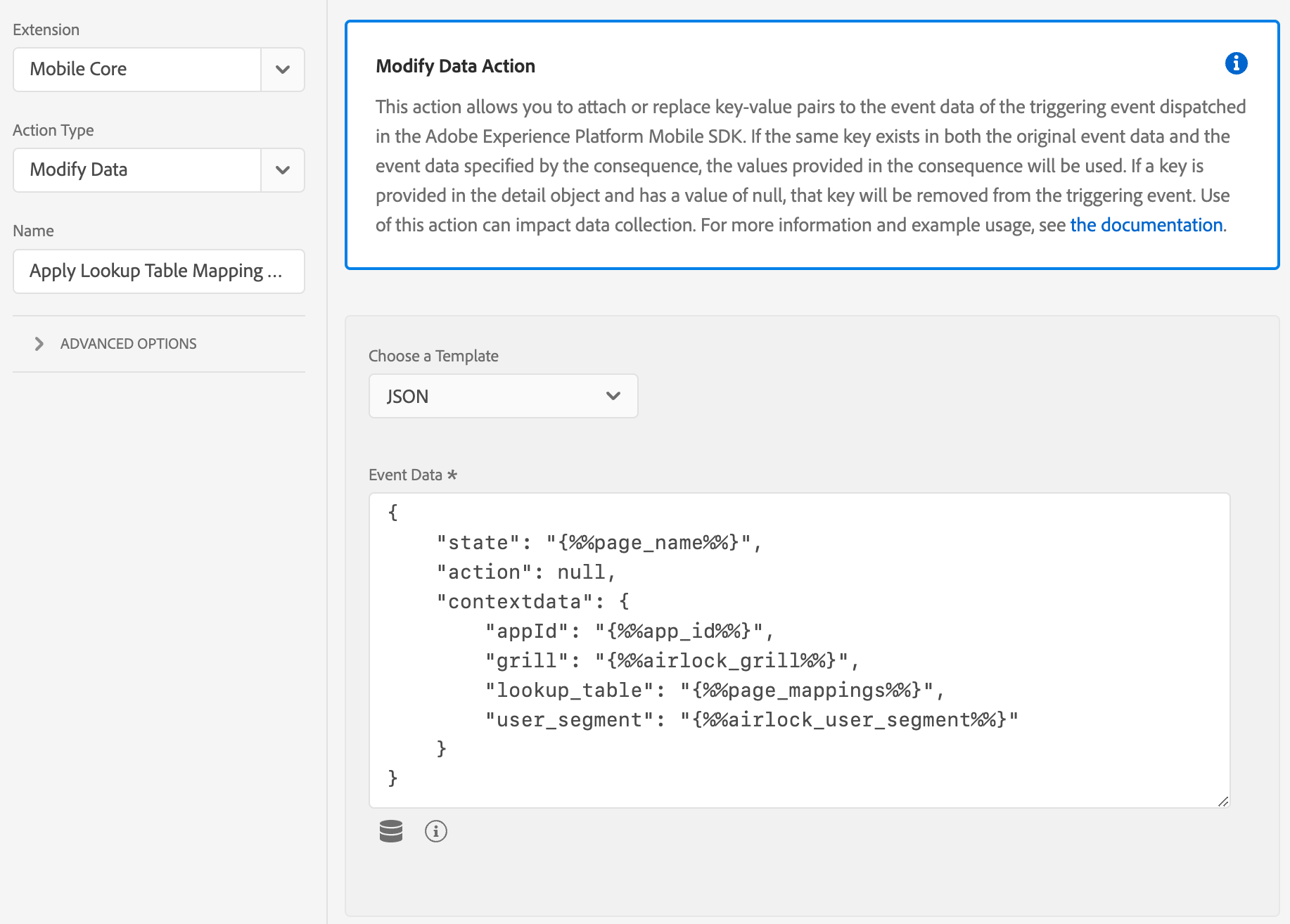 Description : Airlock Data Elements can be used in regular Adobe Attach Data and Modify Data actions.
See also
- Extension Configuration → Macros — a related pattern for values computed once at config load rather than per rule evaluation
- Evaluate JavaScript Rules — for event transformation rather than value derivation
- Session Accumulator data element — a no-code alternative for counter values